
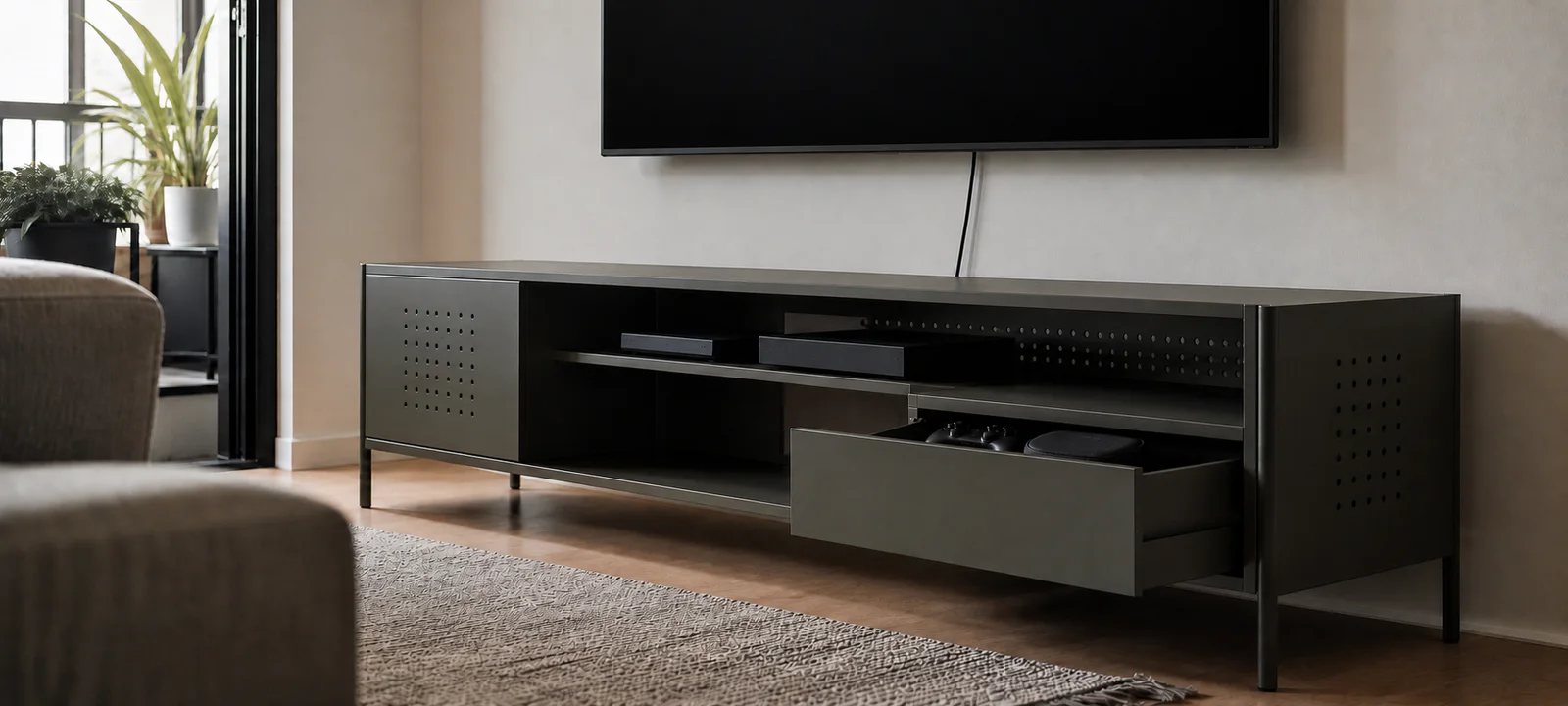
A media unit is rarely used with only a television. The soundbar needs a clear line, consoles need ventilation, cables must reach power and somebody eventually has to clean behind everything.
Map the screen, devices and connection points before choosing furniture. Mark the unit, open doors and drawers on the floor, and leave every cable reachable. Closed storage only calms the room when it does not trap heat or make routine access difficult.
Measure the Actual Screen and Stand
Advertised screen size is diagonal and does not reveal the television's width. Measure the whole set and note whether it uses widely spaced feet or a central stand. Every support point must sit fully on a surface designed for the television and within the unit's stated load.
Measure the available wall, viewing position and routes to doors or balconies. The sofa and seating layout guide helps coordinate the viewing zone, while the living room rug guide covers floor edges near drawers and walkways.
List Every Device and Connection
Record the dimensions of the soundbar, console, router, streaming box, speakers, charging dock and any older player that will remain. Measure again with plugs attached: HDMI and power leads need bending room behind a device that otherwise appears to fit.
Note power, antenna and data points before placing the unit. A cable opening is useful only when it aligns with the shelf and connection. Do not hide a power point so completely that plugs and power boards cannot be inspected or disconnected.
Mark the Furniture in Use
Tape the unit's width and depth on the floor, then add the full swing of cupboards and extension of drawers. Walk between the sofa, coffee table, unit and nearby door. The living room tables guide can help if several pieces compete for the same clearance.
Long consoles balance a broad wall and can overwhelm an apartment. Compact or corner units save space and reduce future layout options. A floating unit may look lighter but requires suitable structure, fixings, installation and rental approval.
Choose Open or Closed Storage by Device
Open shelves keep frequently used electronics accessible and expose their cables. Drawers suit controllers, remotes and manuals; cupboards hide visual clutter but can interfere with signals, controls, ventilation and connection access.
Follow each device maker's clearance and ventilation instructions. Do not assume a cable hole is adequate ventilation or run equipment inside a closed compartment merely because it fits. Keep remote and controller reset points simple; the living room clutter control guide covers the surrounding toys, blankets and pet items.
Protect Cable and Power Access
If the problem is a loose power board beside an otherwise suitable TV unit, compare its dimensions and plug heights with the living-room cable box before replacing the furniture. Keep ventilation and plug access clear.
Leave enough slack for equipment to be moved without pulling a connection, while keeping cords out of walking routes. Do not crush cables behind furniture, cover power boards or overload them. Fixed electrical work and in-wall cable routing require appropriately qualified help.
Cable sleeves and boxes should still allow inspection, cleaning and future device changes. The living room cable management guide provides a detailed map of devices and power points. If lamps or screen reflections complicate the layout, see the living room lighting guide.
Secure the Television and Furniture
Entertainment units of any height are covered by Australia's toppling-furniture mandatory information standard. Look for the required warnings and follow the supplied anchoring guidance. A television should sit on furniture designed for it and be secured as directed.
The ACCC guide to toppling furniture and televisions explains how opening doors and drawers affects stability and why both the TV and supporting furniture may need securing. Keep heavy items low and do not place objects that encourage children to climb on top. Renters should discuss anchoring with the landlord or agent.
Plan the Everyday Storage
Give remotes, batteries and controllers a shallow drawer, tray or basket. Avoid filling device shelves with unrelated household overflow. Our living room storage guide helps divide media storage from books, toys and general clutter.
Open shelving and electronics collect dust. Choose a unit that allows a vacuum or cloth to reach behind cables and beneath the base without repeatedly disconnecting everything. Slatted doors and textured finishes may add ventilation or visual interest and require more detailed cleaning.
Check the Complete Media Setup
- Measure the television, feet and total load.
- Measure devices with their plugs and cables attached.
- Mark doors, drawers, walkways and cleaning access.
- Keep power points and cable connections reachable.
- Follow device clearance and ventilation instructions.
- Plan compliant anchoring for the unit and television.
- Obtain approval before permanent work in a rental.
A simple unit that fits the TV, devices and room will usually outlast an elaborate cabinet built around today's equipment. Preserve access, ventilation and stability first.
Common Questions
How do I choose the right size TV unit?
Measure the television's actual screen, feet or central stand and cable positions, then list every device the unit must support. Mark the furniture's full footprint and door or drawer movement in the room. Leave the ventilation and clearances required by each product rather than choosing width from screen size alone.
Is open or closed media storage better?
Use open storage for equipment that needs airflow, signal access or frequent cable changes, and closed storage for suitable items that create visual clutter. Check device instructions before enclosing electronics. Doors are helpful only when remotes still work, heat can escape and plugs remain reachable for resets or replacement.
How can I keep TV cables tidy and accessible?
Map power and data leads before moving the unit against the wall. Keep plugs, switches and connections reachable, allow enough slack for devices to be removed, and avoid running cords through walking routes. Test the complete setup with all equipment operating before attaching clips or bundling leads into a fixed route.