
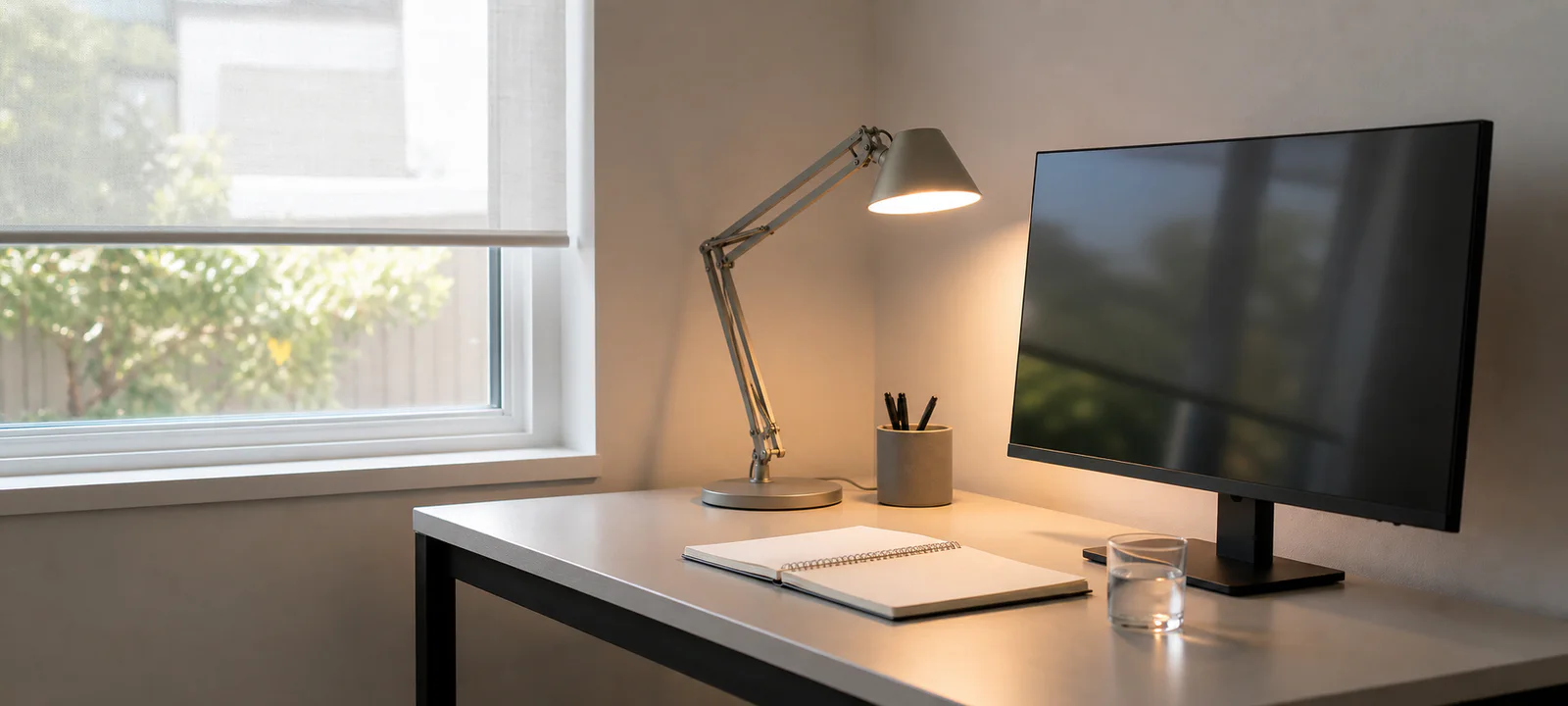
See Magnifica Luce Rechargeable Cordless Desk Lamp and retailer availability
A desk can work well in morning daylight and become uncomfortable by mid-afternoon. Glare moves across the screen, a video call casts one side of the face into shadow and the only lamp base occupies the space needed for paperwork.
Watch the desk through the working day. Note the task, screen, camera view and available power at each problem time. More brightness is not the answer when the source is in the wrong place.
Choose a light for the unresolved task and make sure its base, arm, switch and cord fit the work zone. In a rental, use options that respect the agreement; fixed electrical work belongs with an appropriately licensed professional. Return to the Home Office setup hub when the desk, chair or storage position is still unsettled.
Observe the Desk Before Adding Light
Check the desk in the morning, around midday and at the time work usually finishes. Note when the screen reflects a window, when paperwork falls into shadow and whether the problem changes as daylight moves. A lamp bought for the wrong hour may solve nothing.
WorkSafe Queensland's visual comfort guidance recommends controlling glare and reflections, using task lighting where needed and positioning it so it does not shine into the eyes. It also suggests moving the workstation or changing the lighting when the current position creates glare.
Define the Task the Light Must Support
Screen work, handwriting, drawing, reading and video calls do not necessarily need the same light position. Write down the tasks done after dark and the parts of the surface that need to remain clear. That determines whether the unresolved need is general room light, a focused task light or a better desk position.
Also decide whether the light stays out. A dining table setup may need a lamp that can be moved safely and stored; a permanent study can support a more fixed arrangement. In either case, the base, arm and cord need a measured position.
The home office desk setup guide covers equipment and surface depth, while the home office chair and seating guide helps protect the chair's movement in a tight zone.
Correct Position Before Brightness
Reflections can come from windows, glossy desktops, framed art and light fittings as well as a desk lamp. Sit in the normal position with the screen turned on and look at it from the angle used for work. Move the screen or desk before assuming more brightness is required.
Adjustable blinds or curtains can help manage a bright window, provided cords and controls are safe and accessible. A window directly in front or behind the user often creates strong contrast; a position beside the desk can be easier to manage, although the room and time of day still decide the result.
Clean the screen and light fittings before judging the setup. Adjust the monitor's display settings for visual comfort rather than using a brighter lamp to compensate for an unsuitable screen setting.
Compare the Complete Lamp Footprint
Measure the base, arm reach, shade, switch and cord—not only the advertised height. Move the arm through its range and check whether it crosses a monitor, shelf or camera view. A stable base should not displace the notebook or mouse every time the lamp is adjusted.
A clamp light frees the desktop but needs a compatible edge and enough fixing depth. A floor lamp preserves the work surface but occupies the chair and walkway zone. A monitor light bar must suit the screen shape, mounting method and power arrangement. Check each product's instructions rather than assuming the type will fit.
Keep lamps stable and away from drinks. If a light becomes hot in normal operation, allow the clearances specified by the manufacturer and keep it away from papers, curtains and other materials as directed.
Test Calls With the Normal Room Behind You
Open the camera at the time calls usually occur. A bright window behind the chair can leave the face in shadow; a strong lamp from one side can produce an uneven result. Adjust the existing light and desk direction before adding call-specific equipment.
A ring light may help a particular setup, but it also needs a stand, power, desk space and storage. It should earn that footprint outside the occasional call. The video call setup guide covers camera position, background and packing up at the end of the day.
In a bedroom or living area, look at the lighting when work is finished too. A work lamp that shines across a shared television area or prevents the dining table being reset is not confined to the office zone.
Choose Controls You Will Actually Use
Adjustable brightness can support different tasks, but compatibility matters when the lamp and bulb are separate. Check the lamp, bulb and dimming instructions as a set. Colour appearance is also a practical preference: compare it with the room at the hours it will be used.
Smart controls add scheduling and remote operation but may require an app, account or network connection. Built-in USB ports can reduce a separate charger, yet still require compatible devices and accessible cabling. A simple switch in easy reach is often the more useful feature. If the control will join a wider routine, use the smart home office setup guide to check compatibility, privacy and manual fallbacks first.
Product specifications are a better basis for comparison than terms such as warm, daylight or eye-friendly used without measurements or context.
A rechargeable lamp option for a dim desk
First move the desk or screen to use daylight without glare and test the room's existing light at the actual work time. If paper, keyboard or call lighting still needs help, consider this rechargeable lamp against the beam position, controls, footprint and power access you need.
Some links below are affiliate links. We may earn commission at no extra cost to you. Learn more.
Rechargeable desk lamp
Magnifica Luce Rechargeable Cordless Desk Lamp
A portable dimmable lamp for flexible task zones where charging intervals matter more than permanent mains power.
Check today’s price and postcode delivery:

We may earn commission through these links.
Good fit for
portable reading and low-clutter desk lighting
Check before buying
Battery runtime and a warm fixed colour temperature may not suit long colour-sensitive work sessions.
Research-supported option
More suitability and drawbacks
May suit: portable reading and low-clutter desk lighting.
May not suit: all-day work requiring a bright, colour-adjustable task lamp.
Drawbacks to consider:
- Battery runtime and a warm fixed colour temperature may not suit long colour-sensitive work sessions.
- Current dimensions, variant, price, stock and seller details should be rechecked before ordering.
Evidence confidence: moderate. Last reviewed 18 August 2026. Research-based assessment; we have not tested this product firsthand.
Reserve Power and a Safe Cord Route
Count the devices already using the desk supply. The lamp cord should reach a suitable point without stretching across a walkway or entering the path of a moving chair. The home office cable management guide covers power-board access and equipment routes.
Keep the power board reachable for checking and cleaning, do not overload it and keep liquids away from powered items. In a living area, the living room cable management guide helps coordinate lamp leads with shared furniture and walkways.
Fixed electrical work requires an appropriately licensed electrician. Renters need approval before drilling, wall mounting or making permanent changes; even adhesive clips should be checked for surface compatibility.
Keep Shared Work Zones Easy to Reset
A dining table lamp needs a defined storage place and a cord that can be packed without tangles. A bedroom lamp should not block wardrobe drawers, catch bedding or turn the route around the bed into a cable path. A floor lamp in an apartment corner must still leave chair clearance.
Plug-in and portable options are often more adaptable in rentals and multipurpose rooms. The shared home office spaces guide helps give every work item a place to go at the end of the day.
Account for Cleaning and Everyday Handling
Glossy bases show fingerprints, dark shades reveal lint and textured materials hold dust. An adjustable arm adds joints and controls that need occasional checking according to the product instructions. Choose a lamp that can be moved and cleaned without dismantling the desk.
Clamp points and adhesive holders can mark a desk finish. Check the contact material and fixing method before use. Keep enough slack and access to clean the cord route rather than trapping dust behind a heavy cabinet.
Home Office Lighting Checklist
- Observe natural light at the times the desk is used.
- Check the screen, desktop and camera view for glare and reflection.
- Define the tasks that need additional light.
- Measure the lamp base, arm, shade, switch and cord.
- Check clamp compatibility where relevant.
- Reserve a suitable power point and cord route.
- Decide whether the setup needs to stay out or pack away.
- Check bulb compatibility and manufacturer instructions.
- Keep power boards accessible and avoid overloading them.
- Keep liquids away from powered items.
- Check rental approval before permanent changes.
- Use an appropriately licensed electrician for fixed electrical work.
Let Daylight and Task Light Share the Job
Good office lighting is usually a balance rather than a single brighter source. Use daylight where it helps, control reflections and add task light only where the work still needs it. The best lamp is the one that solves that specific gap without crowding the desk or creating another cable problem.
Common Questions
What is the best lighting for a home office?
Use available daylight and add task light for the work the room must support, such as screens, paperwork or calls. Position the light before increasing brightness, and observe the desk at normal working times. The best setup illuminates the task without putting a bare bulb, reflection or deep shadow in the working view.
How do I stop glare on my computer screen?
Look at the screen from the normal chair position and identify reflections from windows, ceiling lights and lamps. Change the screen or light angle first, then adjust window coverings or brightness if needed. Test at several times of day because a setup that works in the morning may reflect afternoon sun.
Where should a desk lamp go for video calls and paperwork?
For paperwork, place task light so your hand and body do not cast a strong shadow over the page. For calls, check the real camera image and keep bright windows or bulbs from dominating behind you. Include the lamp base, arm movement, controls and cord route in the desk measurement.