
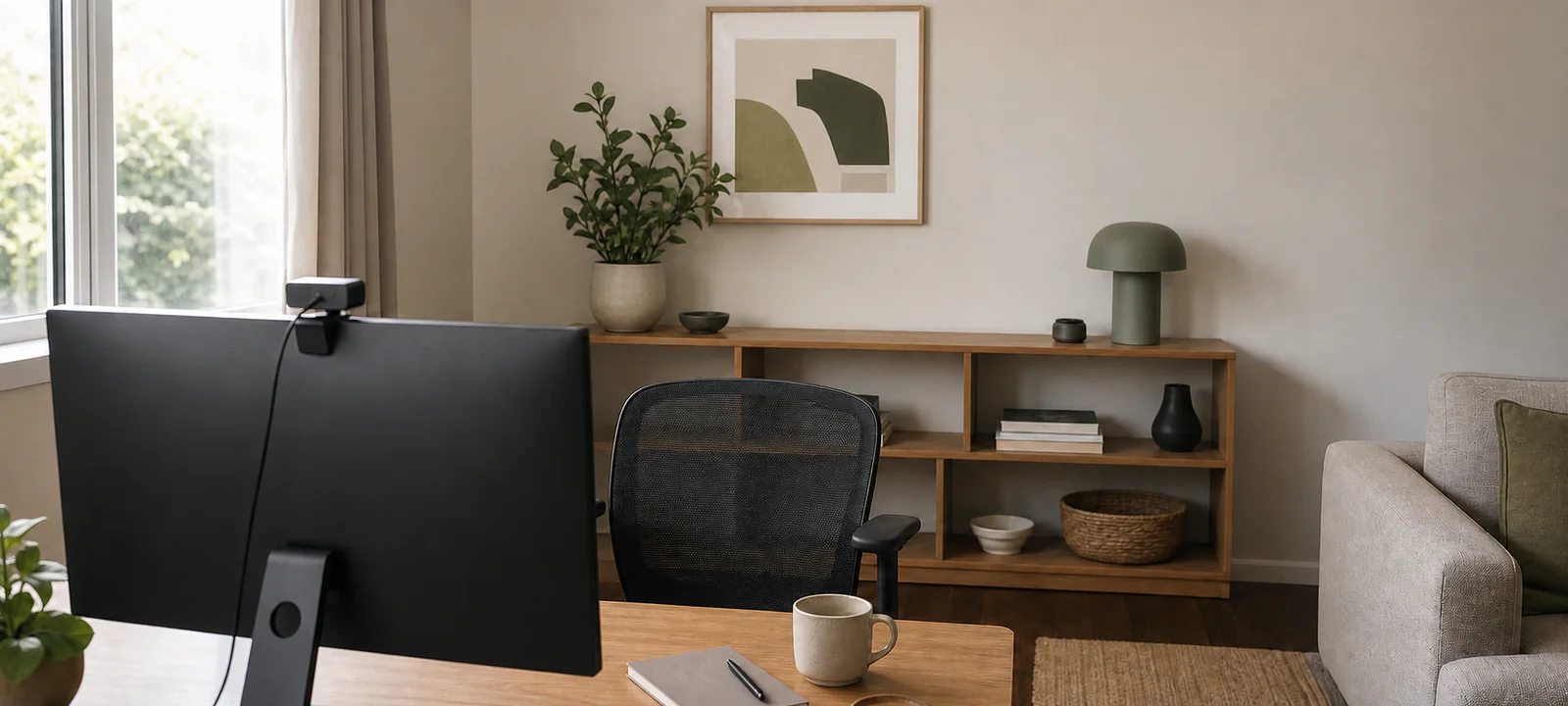
Open the camera before styling the wall behind the desk. Its frame may capture less of the room than expected, while a bright window, opening door or pile just outside the imagined background causes the real distraction.
Run a test call in daylight and after dark. Check the image, screen glare, chair position, cable route and ordinary household sound before buying a lamp, screen, webcam or shelving unit.
A credible background can still look like a home. Keep the visible zone calm and quick to reset rather than building a permanent set that creates clutter everywhere the camera cannot see.
Open the Camera and Record What It Shows
Use the same device, app and chair position as a normal call. Look beyond the central wall to doorways, reflective surfaces, open shelves, personal papers and people moving through the background. Check how much of the desktop and floor is visible.
Take another look at the times calls usually happen. Daylight moves, room lights switch on and a quiet background can become the household route after school or dinner. If the wider workspace is still being planned, start with the small home office guide.
Decide Whether the Call Setup Stays Out
A dedicated office used for frequent calls can support a fixed camera, monitor and light. A dining table or bedroom desk usually benefits from fewer pieces that can be returned to one drawer or caddy.
Pack-away equipment still needs a permanent home. The shared home office guide helps design that transition before the camera zone becomes a second layer of furniture.
Frame the Existing Room Before Decorating It
Mark the area visible behind the chair and measure the distance to the wall or furniture. Keep doors, windows, wardrobes and walkways usable. A screen or bookcase bought to fill the frame can be far larger in the room than it appears on camera.
The background need not be empty. A plain wall is easy to maintain but provides no storage. An open shelf can look natural but must stay edited. A closed cabinet contains paperwork but costs floor and door-opening space. A folding screen introduces another item to move and store.
Artwork, plants and lamps should earn their place with the camera off. Avoid buying decorative filler solely to imitate a studio background.
Keep the Working Surface in the Same Plan
A webcam or light does not create more desk space. Position the normal screen, keyboard, mouse, notebook and current papers first, then find a stable place for call equipment. Do not let a ring light or stand displace the work the desk exists to support.
If the surface is already crowded, revisit the home office desk guide and the home office storage guide before adding equipment. Active documents may also need to be kept out of view for practical or privacy reasons, not merely appearance.
Use the Light Already Available
Test a call with the desk in its current position. A bright window behind the chair can leave the face in shadow; one directly ahead may create glare or strong contrast. Adjust the screen, desk, curtains or existing lamp before assuming a dedicated light is necessary.
When another light is justified, measure its base, stand, adjustment range, switch and cord. A clip-on model needs a suitable edge; a floor light needs clear space; a monitor-mounted light must suit the screen and camera. The home office lighting guide covers glare, task light and power access in more detail.
Give Call Cables a Flexible Route
Webcams, headset docks, microphones, lights and USB hubs can turn a clear desk into a cable crossing. Separate equipment that stays connected from pieces that travel with the laptop. Keep the power board reachable, follow product instructions and avoid cords across walkways or the chair's movement path.
The home office cable guide helps select labels, reusable wraps, trays and clips only after the route is clear. Renters should check approval and surface compatibility before permanent or adhesive changes.
Keep Sound Decisions Proportionate
Begin with an ordinary test call. Listen for household movement and check whether the headset or microphone is easy to use and store. Soft furnishings already in the room may affect how it sounds, but a general room guide cannot diagnose an acoustic problem.
Do not buy a microphone, screen or decorative panel before identifying what is actually wrong. For important or specialised audio requirements, seek suitable technical advice.
Return the Chair to a Repeatable Position
Mark or remember a chair position that gives a consistent frame without blocking storage or the route through the room. The chair still needs to fit the user and desk; how its back looks on camera is secondary. The home office chair guide covers fit, adjustment and floor clearance.
Respect the Shared Room
- Bedroom: frame deliberately, keep personal papers controlled and preserve wardrobe and bed access.
- Living room: check household movement, evening light and how cables and equipment look from the seating area.
- Dining area: use a portable kit and make the table reset part of the call routine.
- Guest room: retain room for guests and make work equipment easy to contain.
The goal is not to conceal that the room is shared. It is to stop the call setup making the room harder to use.
Run a Call Before Buying
- Test the real camera view in daylight and after dark.
- Check doors, windows, walkways and household movement in the frame.
- Decide which equipment stays out and what packs away.
- Keep enough clear desk space for normal work.
- Control private or distracting paperwork.
- Adjust desk position and existing light before adding another lamp.
- Measure every stand, base, screen and cable route.
- Keep the power board and frequently changed connections accessible.
- Store headphones, microphones and portable equipment together.
- Check that decorative additions suit the room beyond calls.
- Confirm rental approval before permanent changes.
- Practise resetting the room after the call.
Keep the Visible Zone Quick to Reset
A home video background does not need to resemble a studio. It needs a stable camera position, workable light, controlled cables and a background that can return to normal household use. Solve the problem visible in the test call, then stop adding products.
Common Questions
What makes a good background for home office video calls?
Open the camera from the normal chair position and work with what it actually shows. A clear section of the existing room is often enough; remove distracting temporary clutter before buying shelves or decorative props. Keep private household details out of frame and make the visible zone quick to reset between calls.
How should I light my face for a video call?
Test the call at the time it normally happens. Use available window light or a lamp positioned in front of or slightly beside you, while avoiding a bright window or bare bulb behind your head. Check the camera image rather than judging the room by eye, and keep screen glare under control.
Can I make a temporary video call setup in a shared room?
Yes. Mark a repeatable chair and camera position, keep the necessary lead and light easy to deploy, and give call equipment one pack-away home. Record a short test with the room in its normal state. A movable setup works when restoring the shared room takes minutes rather than a full furniture rearrangement.