
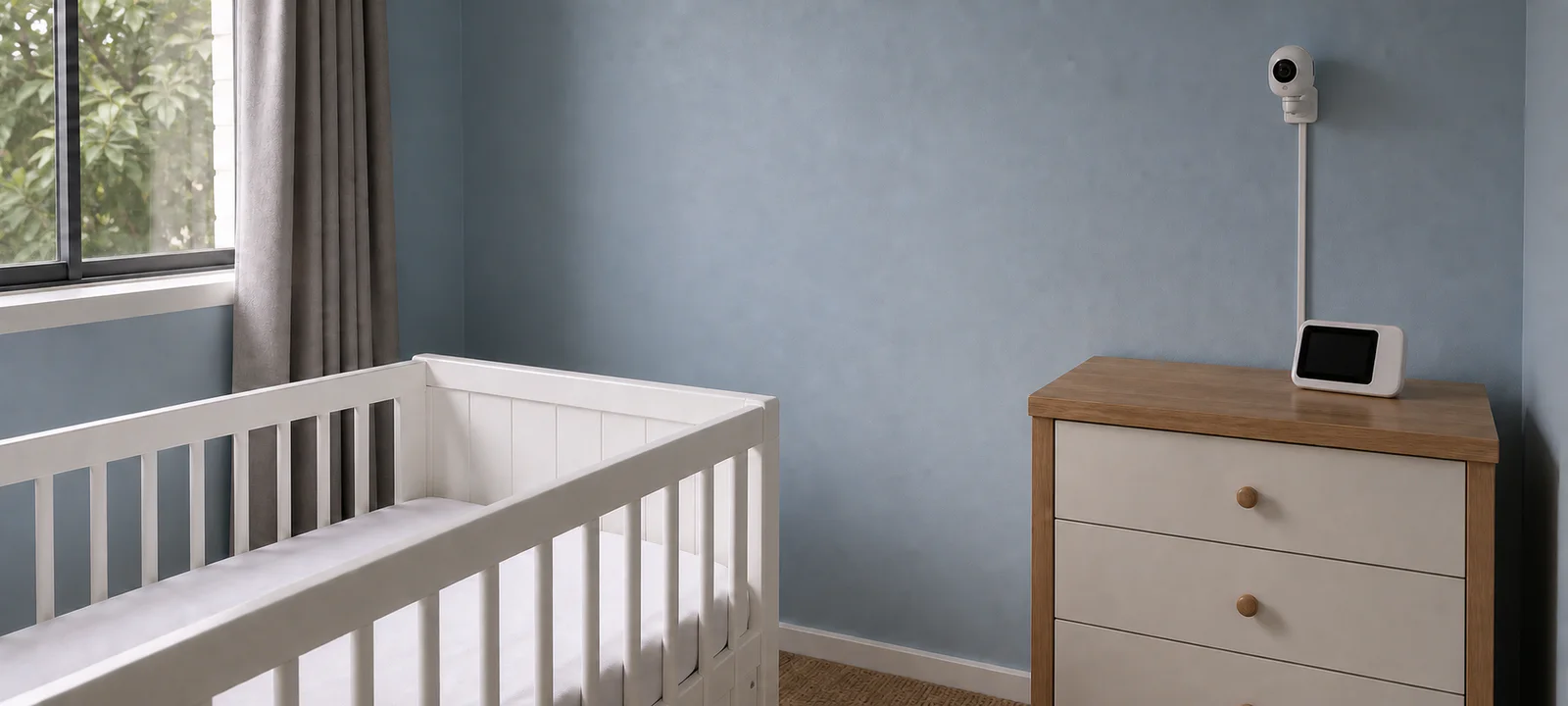
Compare product fit and check retailer availability
A monitor may be reassuring when the baby sleeps on another floor or at the far end of the house. In a compact home, you may hear everything without one. The layout of the home is a better starting point than the length of the feature list.
The main choice is between sound, video and an internet connection. Range, battery life, privacy and where the monitor can sit then narrow the options.
The main choices at a glance
Swipe sideways to compare the full table.
| Item | Useful for | What to consider |
|---|---|---|
| Audio-only monitor | Smaller homes or families who mainly want sound alerts. | Sound clarity, range, battery life, volume controls and whether alerts are easy to hear overnight. |
| Video monitor | Visual checks during naps, overnight sleep or settling. | Screen size, night vision, camera angle, battery life, range and whether extra cameras are supported. |
| Wi-Fi baby monitor | Families who want app access or remote viewing through home internet. | App requirements, privacy settings, account security, update support, internet reliability and outage behaviour. |
| Non-Wi-Fi baby monitor | Parents who prefer a direct connection between the camera and parent unit without app access. | Range, signal reliability, screen quality, interference and whether it suits the layout of your home. |
| Movement or breathing-style monitor | Families who want extra alert features and understand the limitations. | Manufacturer instructions, age suitability, alert settings and current safety information. Do not treat alerts as medical advice. |
| Travel monitor | Holidays, grandparents' homes or temporary sleep spaces. | Portability, charging, mounting, range, privacy settings and whether it works reliably away from home. |
First decide whether you need one
A monitor can help a parent or carer hear, see or receive alerts from another room. It is not essential in every home. If the baby's sleep space is close and clearly audible, another device may add charging, notifications and expense without solving a real problem.
Think about the times you expect to use it: daytime naps while you are outside, evenings at the other end of the house, or overnight checks from another room. Those situations tell you more than a list of premium features.
Choose the connection before the extras
Audio may be enough when you mainly want to hear waking or crying. Video adds a view of the sleep space, which can be helpful when checking whether the baby is awake or settled without entering the room. It also adds a screen or phone, camera placement and more settings to manage.
The next choice is Wi-Fi or a direct connection. A Wi-Fi monitor commonly uses an app and may allow viewing away from the parent unit. Check what happens when the internet is down, whether a subscription is needed and how long the manufacturer supports security updates.
A non-Wi-Fi model usually connects the camera directly to its own parent unit. It avoids app access but still needs enough range and a reliable signal through the walls and floors of your home. Neither connection is automatically more suitable; the trade-off is remote access versus a more self-contained system.
Two dedicated displays with different compromises
The BW2511 offers a compact 2.8-inch display and a mains-powered camera. The BW4501 gives a larger 4.3-inch display and short-term camera battery backup, but owner feedback raises battery endurance, notification controls and picture-detail concerns. Neither has been tested by AHC. Check range in the actual home, keep every camera and cable out of the child’s reach, and never treat either as a medical monitor or a replacement for caregiver supervision.
Compare dedicated-screen baby monitors
Check a safe camera position, cable routing and signal through the rooms before buying. Compare screen size and battery limitations, then confirm local availability. AHC has not tested these monitors firsthand. Compare the fit before choosing.
Some links below are affiliate links. We may earn commission at no extra cost to you. Learn more.
Compare the fit, main drawback and retailer availability for each option.
| Option | May suit | Check first | Retailer prices and availability |
|---|---|---|---|
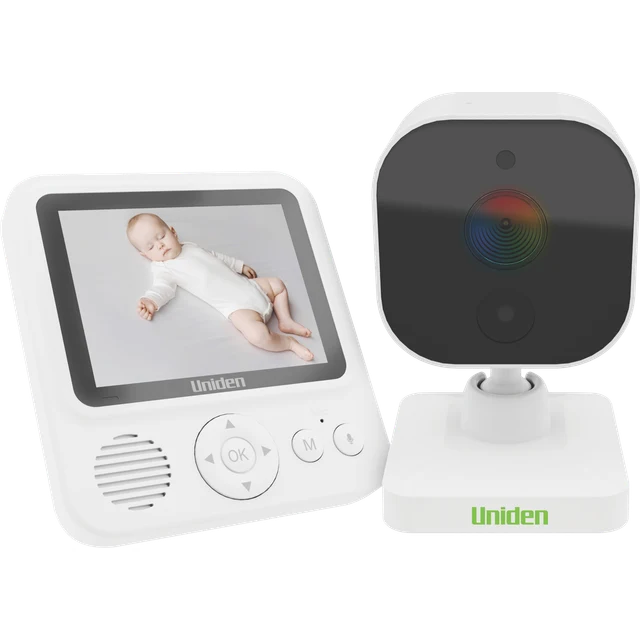 Uniden BW2511 2.8-inch Baby Video Monitor Compact dedicated-screen baby monitor Uniden BW2511 2.8-inch Baby Video Monitor Compact dedicated-screen baby monitor | parents wanting a straightforward dedicated display | A small screen shows less detail than a larger display; check signal through the actual walls in your home. | |
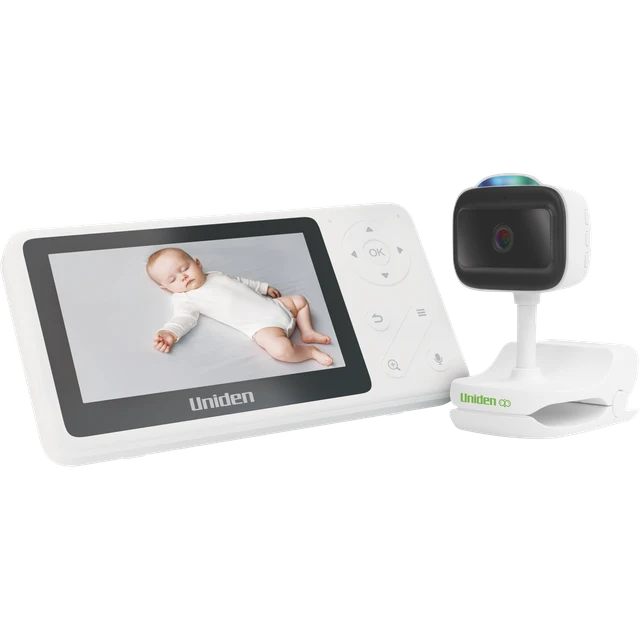 Uniden BW4501 4.3-inch Baby Video Monitor Larger dedicated-screen monitor with battery-backup camera Uniden BW4501 4.3-inch Baby Video Monitor Larger dedicated-screen monitor with battery-backup camera | parents who need a larger screen and occasional repositioning | Owner feedback raises short battery endurance and awkward notification controls; do not plan on all-night cordless use. |
More about each option
Compact dedicated-screen baby monitor
Uniden BW2511 2.8-inch Baby Video Monitor
A compact 2.8-inch parent display with two-way talk and night vision. It provides an in-home camera view without relying on a phone app; the camera needs mains power.
Good fit for
parents wanting a straightforward dedicated display
Check before buying
A small screen shows less detail than a larger display; check signal through the actual walls in your home.
Research-supported option
More suitability and drawbacks
May suit: parents wanting a straightforward dedicated display.
May not suit: remote phone viewing or medical monitoring.
Drawbacks to consider:
- A small screen shows less detail than a larger display; check signal through the actual walls in your home.
- Keep the camera and all adaptor cords outside the child’s reach. It is not a medical monitor or a substitute for supervision.
Evidence confidence: moderate. Last reviewed 18 October 2026. Research-based assessment; we have not tested this product firsthand.
Larger dedicated-screen monitor with battery-backup camera
Uniden BW4501 4.3-inch Baby Video Monitor
A 4.3-inch display and clamp camera add a larger view and short-term battery operation. Select a stable mounting position that keeps the camera, clamp and cables away from the baby’s reach.
Good fit for
parents who need a larger screen and occasional repositioning
Check before buying
Owner feedback raises short battery endurance and awkward notification controls; do not plan on all-night cordless use.
Research-supported option
More suitability and drawbacks
May suit: parents who need a larger screen and occasional repositioning.
May not suit: medical monitoring or uninterrupted cordless overnight use.
Drawbacks to consider:
- Owner feedback raises short battery endurance and awkward notification controls; do not plan on all-night cordless use.
- Some owners question picture detail. The camera’s Full HD specification is not proof of display quality; optional recording needs a separate microSD card.
Evidence confidence: moderate. Last reviewed 18 October 2026. Research-based assessment; we have not tested this product firsthand.
Test the claims against your home
Published range figures do not describe every brick wall, concrete floor or detached outdoor area. Check the retailer's return terms, then test the monitor between the baby's room and the places where the parent unit will actually be used.
- Check the signal through closed doors, walls and floors.
- Walk into the yard, kitchen or other areas where you expect to carry the parent unit.
- Notice whether other household devices interfere with the signal.
- Confirm that out-of-range and low-battery warnings are clear enough to notice.
- Check how the system behaves if Wi-Fi or power is interrupted.
Features that may earn their place
Once the connection suits the house, compare the features you are likely to use rather than the total number offered.
- Battery life: compare expected use, charging time and low-battery alerts.
- Night vision: look for an image you can interpret easily in the room's normal darkness.
- Camera movement: useful when the sleep space cannot be framed from one fixed angle.
- Two-way audio: worthwhile only if speaking through the unit suits your routine.
- Multiple cameras: consider how feeds are switched and whether all cameras remain supported.
- Temperature display: treat it as a reference, not a substitute for safe sleep guidance.
- App notifications: check whether alerts can be adjusted without missing the ones you need.
Camera placement can rule out a model
A clear image is not worth an unsafe cable or unstable mount. Work out where the camera can sit while keeping cords, mounts and accessories away from the baby's sleep space, then follow the manufacturer's installation instructions. Check the view both during the day and with night vision before fixing anything permanently.
Also check whether the mount suits the wall or furniture, whether the camera can be moved as the room changes, and whether a renter is permitted to drill or attach permanent fittings.
Secure connected monitors like any other smart device
For a monitor that connects to Wi-Fi or an app, replace default credentials, use a strong unique password, keep its software updated and review who can access the feed. The eSafety Commissioner guidance on digital safety settings is a current starting point for account and device settings.
Check app permissions, update support and the manufacturer's privacy information before buying. Remove access for people who no longer need it and reset the device before selling or passing it on.
A modest monitor may be the better choice
A larger screen and a longer feature list do not guarantee a better fit. In many Australian homes, clear audio, reliable range and a battery that lasts through the expected routine are enough. A larger or two-storey home may make stronger range, extra cameras or different alerts worthwhile.
Choose from the room outwards: safe placement first, then connection, signal and battery life. Add video, app access and other extras only when they solve a problem you expect to have. A monitor supports observation; it does not replace safe sleep guidance or direct caregiver supervision.
Common Questions
Do I need a baby monitor?
Not always. A monitor may help when a baby sleeps in another room during naps, the home is larger or a carer needs audio or video alerts. In a smaller home, some families may find they can hear what they need without adding another device, so begin with the actual routine.
Is a Wi-Fi baby monitor better than a non-Wi-Fi monitor?
Not automatically. Wi-Fi models may offer app access and remote viewing, while non-Wi-Fi models may suit families who prefer a direct connection between the camera and parent unit. Compare privacy, reliability, range and the way the monitor will be used, then test the signal through the rooms and walls in your home.
What features matter most in a baby monitor?
Clear sound, reliable range, useful night vision, manageable battery life and controls that are easy to understand usually matter most. Camera placement must also work while following the product instructions and keeping cords and accessories away from the sleep space. Extra features only earn their place when they support the household's routine.